Marketing Automation for Businesses: How Can You Turn Visitors into Customers and Increase Sales with Minimal Effort?
Marketing automation for businesses doesn’t mean sending out a lot of automated messages or replacing your team with software. It means designing a journey that ensures every potential customer receives the right message at the right time, while their data flows seamlessly between the website, email, chat, and customer management system—without manual copying or delays.
The need for automation becomes apparent when opportunities start slipping away. A visitor fills out a form and doesn’t receive a prompt response, all customers receive the same content, or the sales team spends hours sorting through unsuitable leads. Platforms may also collect vast amounts of data without a single metric showing which campaign actually generated a deal.
In this guide, you’ll learn about the core components of an automation system, how to build workflows for prospects and existing customers, how to align marketing with sales, and how to maintain privacy and a human touch. You’ll also find a step-by-step implementation plan and metrics to help you measure ROI rather than getting carried away by the number of automated actions.

What Is Marketing Automation for Businesses?
Marketing automation is the use of rules, data, and tools to execute repetitive steps when a specific condition is met. The workflow might start when someone submits a form, visits a service page, abandons a cart, books an appointment, or reaches a certain stage in the customer journey. After that, a task can be created, a message sent, a field updated, or an opportunity transferred to another team.
The basic rule is simple: “When this happens, do that.” But a good system includes clear conditions, limits, timing, and exit points. You shouldn’t send the same message to someone who has already made a purchase, nor should you keep a customer in a long workflow if they’ve requested to speak with a representative. The team must also know why each person entered the workflow.
Why Do Companies Need Marketing Automation for Businesses?
Automation adds value to the team when it addresses measurable delays or repetitions. It reduces response times, standardizes follow-up steps, and gives the sales team context about the customer’s interest. It also helps maintain communication throughout long customer journeys, rather than relying on an agent’s memory or a separate spreadsheet.
- Faster response: Confirm and assign the request as soon as it arrives.
- Better personalization: Tailor content based on service, city, and behavior.
- Cleaner data: Update fields and prevent duplicate records.
- Clearer collaboration: Determine when an opportunity moves from marketing to sales.
- Continuous measurement: Understand the path that led to an appointment, a deal, or a repeat purchase.
However, not every task is suitable for automation. Sensitive cases, exceptions, complaints, and major decisions require human intervention. The goal is to eliminate routine work so the team can focus on analysis, relationships, and creativity.
Start by mapping the customer journey before choosing tools
Before purchasing a platform, map out the current journey as it actually unfolds. Where does the customer come from? Which page do they visit? What data do they leave behind? Who receives the request? How long does it take to respond? And what steps lead to a sale or an abandonment? The map will reveal pain points that don’t require complex technology, such as a lengthy form or unclear accountability.
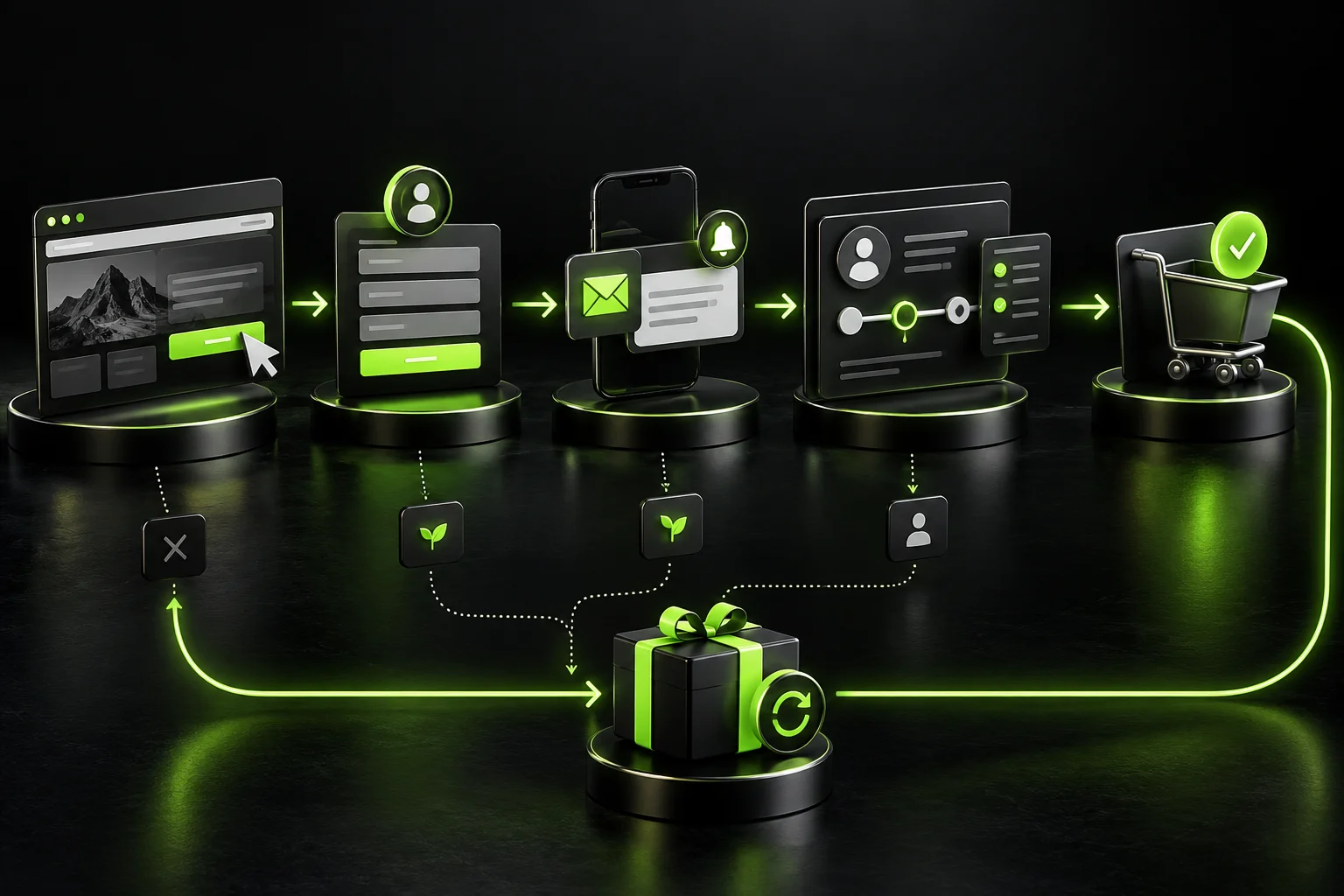
Divide the journey into stages: discovery, interest, evaluation, decision, purchase, and then retention. Each stage has a goal, a message, and an action. In the discovery stage, the goal might be to watch a demo, while in the decision stage, the goal becomes scheduling a call or requesting a quote. After the sale, the goal might be to activate the service, request a review, or suggest a complementary product.
Also define the conditions under which the journey should be halted. When a customer makes a purchase, requests to be unsubscribed, or their information becomes invalid, the journey should transition to a different state. Having clear exit points prevents inappropriate messages and maintains trust.
B2B marketing automation starts with standardized data
Automation requires a reliable data source. If an email is written in more than one format, the customer source is missing, or the stage isn’t updated after a call, the rule won’t know what to do. So define the essential fields, who has permission to edit them, and how to prevent duplicate records.
Integrate your website, lead forms, customer management system, email, and sales systems as needed. Don’t collect every piece of information possible. Start with what helps with service and measurement: name, contact information, requested service, source, approval, stage, and outcome. Every additional field must have a clear reason for use.
Next, create a data dictionary. For example, does “qualified lead” mean they have an appropriate budget, that they’ve booked a meeting, or that a sales rep has approved them? A standardized definition prevents each team from interpreting reports differently.
How do triggers, conditions, and actions work?
A trigger is the event that starts the workflow, such as submitting a form or changing a stage. A condition determines who continues down which branch, such as based on service, location, or opportunity value. An action is the resulting step: a message, task, update, notification, or wait. Modern tools support triggers based on filters, events, schedules, and webhooks.
HubSpot’s official documentation on funnels explains that registration can be triggered by criteria, an event, a schedule, or a webhook, with settings for re-registration and opt-out. The concept isn’t tied to a single platform; it’s a logical model that can be applied using different tools depending on a company’s size and budget.
Keep each funnel small and straightforward. A funnel that attempts to achieve dozens of goals becomes difficult to test. It’s best to separate lead capture from lead nurturing and reactivation, then document the relationships between them.
Marketing Automation for Businesses and Lead Nurturing
Not every visitor is ready to buy on their first visit. Some need to compare options, see proof, or have an objection addressed. This is where nurturing helps by delivering relevant content based on the prospect’s expressed interests, rather than sending a one-size-fits-all sequence to everyone.
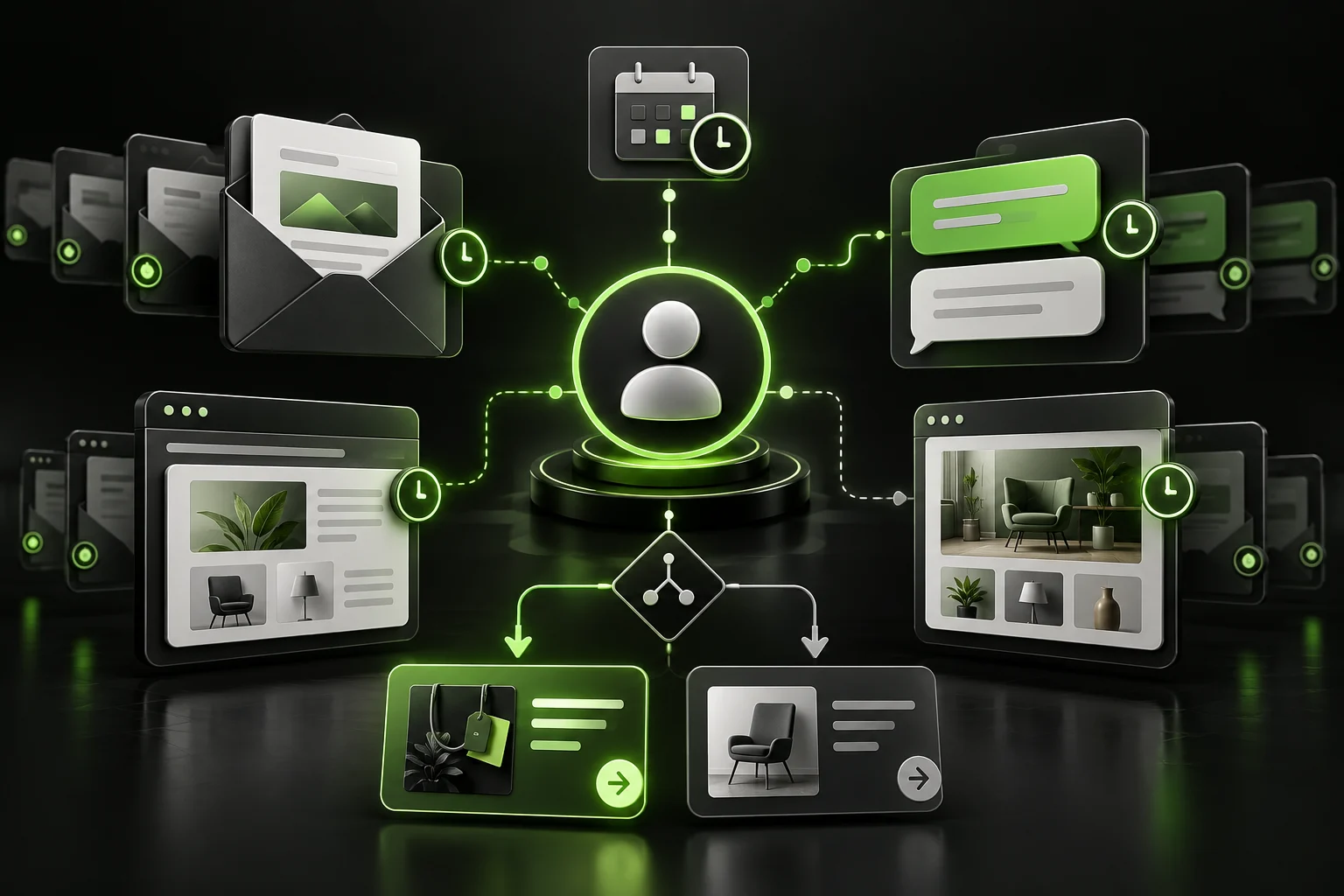
Someone who downloads an introductory guide might receive a message summarizing the steps, followed by a case study related to their industry, and then an invitation to a consultation. Those who request a quote directly, on the other hand, should be directed to a fast-track sales process. You should also adjust the frequency so that the person doesn’t receive an email, a message, and a notification all at the same time.
Write messages in the brand’s tone, and make them helpful even if the customer doesn’t buy right away. Use the service name or problem when the data is reliable, but don’t add personalization that makes the message annoying or reveals excessive tracking. And always provide a clear way to manage preferences or opt out of communication.
Marketing Automation for Businesses and Integrating It with a CRM System
A customer relationship management (CRM) system is where the history of the relationship is stored: the source, relevant pages or forms, messages, calls, stage, offers, and outcome. When integrated with marketing, the employee doesn’t need to ask the customer to recount everything from the beginning and can start the conversation from a more relevant point.
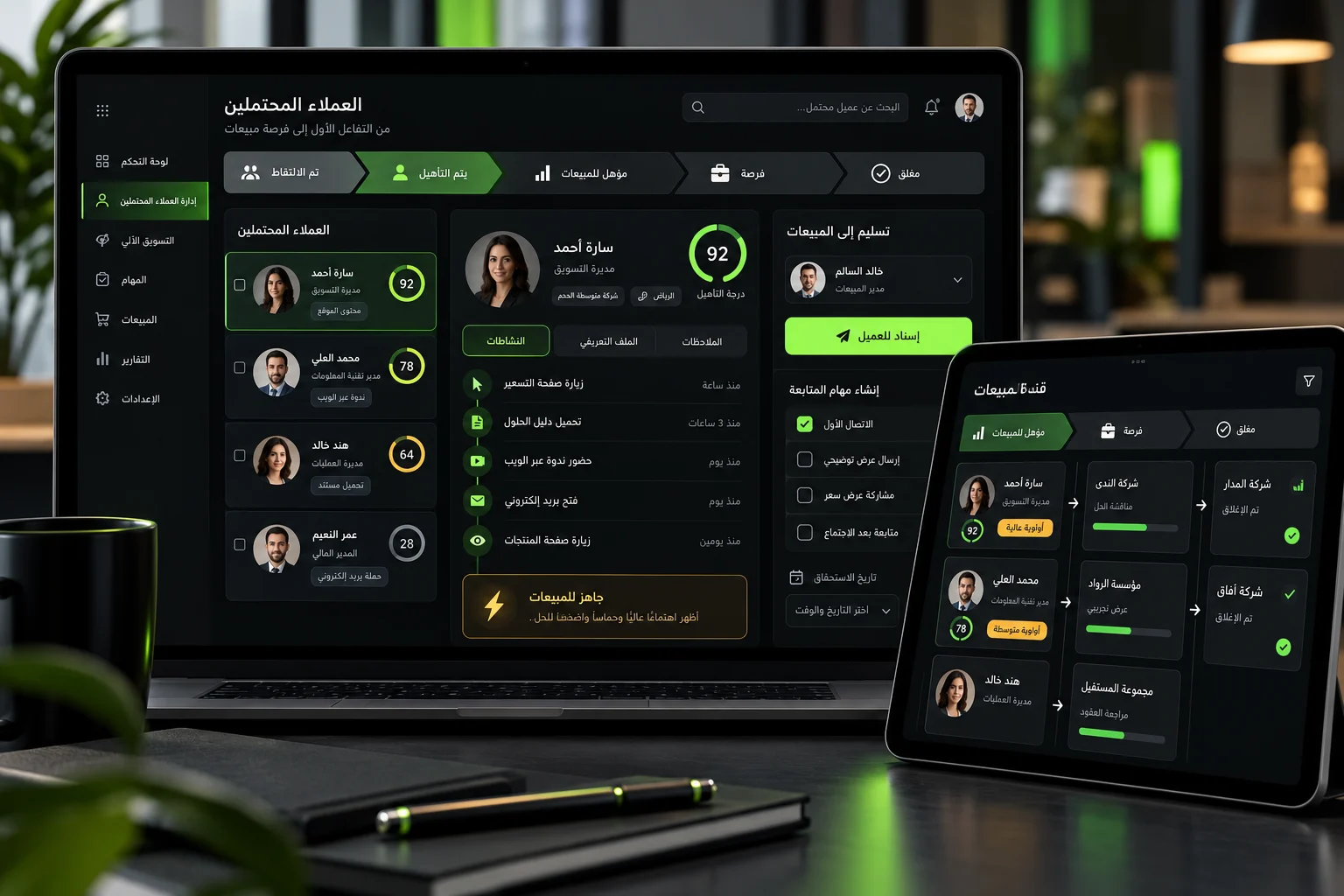
Establish an agreement between marketing and sales. What conditions make a lead ready for handoff? Who takes it over? Within how many minutes or hours should contact be made? And what happens if the customer doesn’t respond? The system can create a task and send an alert, then return the lead to the nurturing pipeline if it’s not ready.
Don’t equate every activity with commercial value. Opening an email is not the same as requesting a quote, and visiting a single page is not the same as booking an appointment. So design a simple scoring system that combines fit and behavior, then review it with the sales team monthly. If the highest-scoring opportunities aren’t converting, the criteria need to be adjusted.
Practical Marketing Automation for Businesses Workflows
Receiving a New Lead
After the form is submitted, display a clear confirmation, record the source and service, send a brief message outlining the next step, and then create a task for the assigned representative. If the service is urgent, send an immediate alert. If essential information is missing, ask for it with a single question instead of resubmitting the entire form.
Recovering a Cart or Incomplete Order
Remind the customer of what they left behind, but first verify that they didn’t make a purchase through another channel. You can offer assistance or answer questions about shipping and payment before considering a discount. You should also stop the funnel as soon as the order is complete, so the buyer doesn’t receive a message suggesting the transaction failed.
Post-Sale and Retention
After the purchase, send activation or usage materials, verify delivery, and then request a review at the appropriate time. Later, suggest a complementary service when it’s useful. This process reduces repetitive questions and increases the likelihood of repeat business, but it requires coordination with the operations team to ensure the message isn’t sent before the service is provided.
Reactivating Inactive Customers
Determine a reasonable timeframe based on the purchase cycle, then send a message that offers value or asks about preferences. If there is no interaction, reduce the frequency or stop communication. Cleaning up your lists is better than continuing to send messages to addresses that aren’t interested.
Integrating AI with Marketing Automation for Businesses
AI can summarize conversations, suggest categorizations, draft messages, or identify opportunities that require follow-up. However, it must operate within clear guidelines. Don’t let it send a pricing quote or a sensitive decision without review, and don’t enter sensitive data into an unapproved tool.
Use it to speed up analysis and first drafts, then make a human responsible for strategy, approval, and exceptions. The AI Marketing Guide explains how to tie these uses to a business goal and realistic metrics rather than using them merely to increase output.
Privacy, Consent, and Communication Quality
Customers must know how their data will be used and have a clear option to opt in or opt out. Collect only the minimum necessary data, specify retention periods, access permissions, and how to handle requests for access or deletion in accordance with the requirements applicable to your business and market.
Review every technical integration. Who can access the data? What is sent to third parties? And what happens if the connection is lost? Maintain a change log and test your backups. Also, separate test data from production data so that a test message never reaches a customer.
Finally, maintain a human touch. Short, clear messages are better than long, stilted ones. Allow customers to easily transfer to a representative, and specify response times when immediate service isn’t available.
Measuring the ROI of Marketing Automation for Businesses
Establish a baseline before launch: average response time, percentage of leads followed up by the team, conversion rate from lead to appointment, conversion rate from appointment to sale, customer acquisition cost, and average deal value. Then compare the results over a reasonable period, factoring in the cost of tools, integration, training, and maintenance.
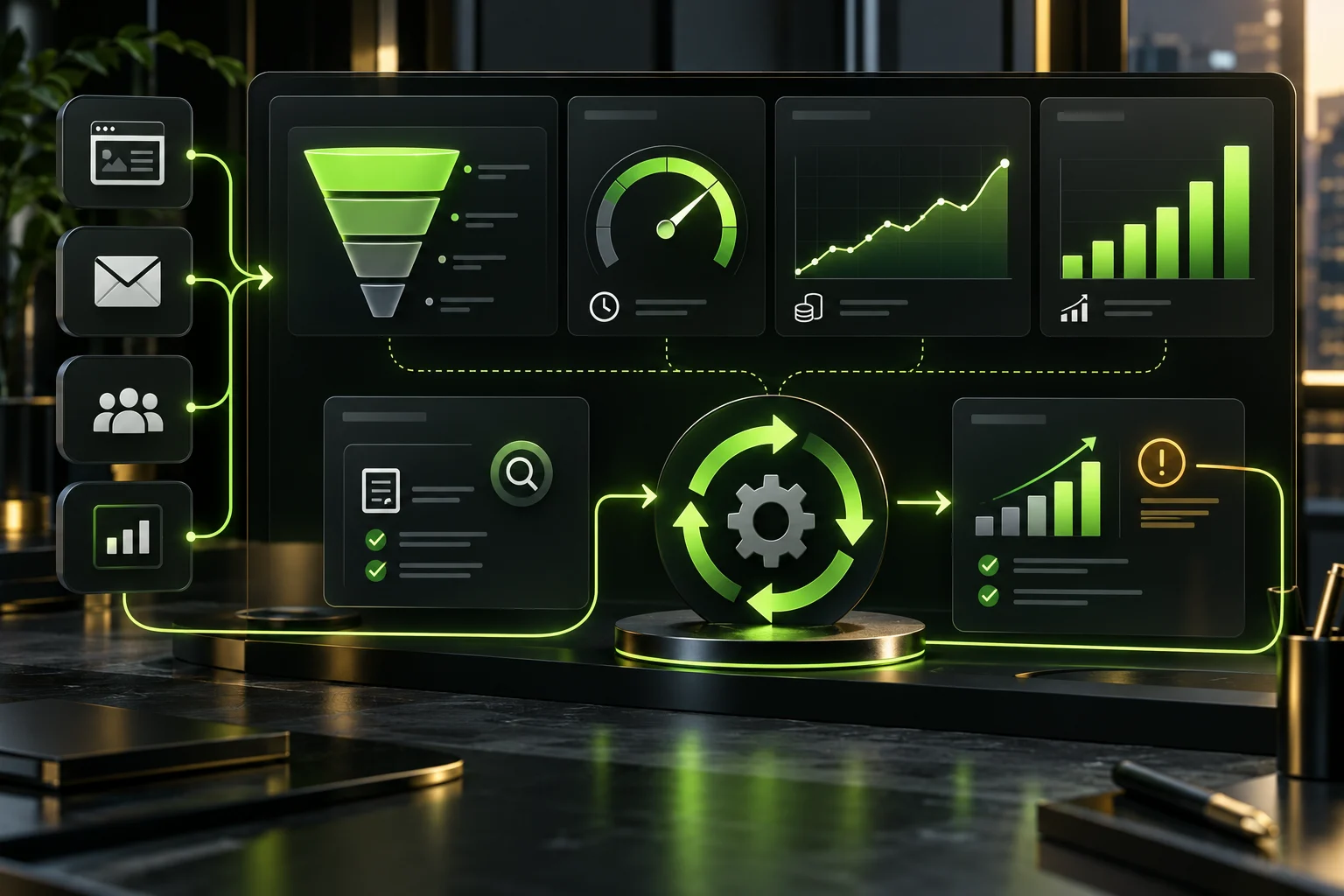
Monitor operational metrics such as delivery success, errors, and records that fall off track, but tie them to business outcomes. A message might achieve a high open rate without generating any leads, while a message with a lower open rate might generate better deals. Therefore, monitor revenue, customer quality, and retention—not just clicks.
You can set up events and conversions to measure important actions in analytics, then send the results to a unified dashboard. Google Analytics documentation on key events explains how to track business-critical actions within reports. You should also add clear parameters for sources and campaigns. If your company operates in multiple cities, link your automation to your local SEO strategy in Saudi Arabia so that local requests are quickly routed to the appropriate team.
Test the funnels before launching them
Create test profiles representing different scenarios: a qualified lead, an unqualified lead, an existing customer, and a person who has stopped communicating. Run each funnel from start to finish, checking the messages, timing, links, field updates, and task creation. Then test what happens when a step fails or an event repeats.
Set limits such as a maximum number of messages per day, prevent entry into conflicting flows, and stop sending messages when a status changes. Ask an employee who didn’t build the flow to review it; they often notice assumptions that aren’t obvious to the designer.
Start with a small group, then monitor for a week before scaling up. This phased rollout minimizes damage and gives the team a chance to refine messages and rules based on real-world behavior.
A 90-Day Marketing Automation for Businesses Plan
- First Two Weeks: Map the customer journey and identify drop-offs, the baseline, and the owner.
- Weeks 3 and 4: Clean up the data and define stages, approvals, and permissions.
- Second Month: Build a single high-value workflow and test it with multiple records and scenarios.
- Third Month: Roll out gradually; measure conversion, time, and quality; then scale what works.
Choose where to start based on the biggest problem. If orders are getting lost, start with intake and assignment. If the decision cycle is long, start with nurturing. If sales don’t know the source of a deal, fix attribution and tracking before adding messaging.
Common Mistakes That Undermine the Value of Automation
- Purchasing a platform before documenting the journey and the problem.
- Running workflows on duplicate or incomplete data.
- Sending the same message to all segments.
- Failing to pause the workflow upon purchase or opt-out.
- Evaluating customers based on clicks without reviewing sales.
- Building a massive funnel that cannot be understood or tested.
- Measuring activity instead of revenue, quality, and retention.
Some companies make the mistake of automating everything and then failing to assign a person in charge. Funnels need an owner who reviews errors, changes, and conversion rates. Automation is an evolving operational system, not a one-time setup.
Frequently Asked Questions About Marketing Automation for Businesses
Is it suitable for small businesses?
Yes, and they may actually benefit more from a simple start. A single funnel can confirm a lead, record it, and notify the person in charge. The key is not to buy a system that’s bigger than you need and to choose a problem with a clear cost.
Which workflow should you build first?
Choose the workflow that combines high impact with low complexity. Receiving and following up on a new request is often a good place to start, as it reduces response time and gives you measurable results in a short period.
Can WhatsApp and email be used together?
Yes, you can—provided you have the appropriate consent and coordinate the timing and content. Don’t send the same message through multiple channels at the same time. Use each channel for a specific purpose, and provide an easy way for users to opt out or be transferred to a representative.
How much maintenance does automation require?
Review glitches weekly, results and messages monthly, and goals and integrations quarterly or whenever the service changes. You should also update workflows when modifying a form, sales stage, or privacy policy.
Bottom line: Automate what’s repetitive and keep what requires a human touch
Marketing automation succeeds for businesses when it starts with a clear customer journey, reliable data, and defined accountability. It speeds up response times, improves customer care, and aligns marketing with sales, but it cannot compensate for a weak offer, poor service, or a message with no value.
Start with a single funnel, test it, and link it to a business metric. Then scale what proves effective while protecting privacy and maintaining human oversight. Miral Marketing Solutions helps companies design the customer journey, integrate tools, build pathways, and measure results within an integrated marketing ecosystem that converts interest into customers and measurable growth.